Consulting & architecture
Plan communication paths that fit the organisation.



Rocket.Chat + CCNet
Official Rocket.Chat partner & distributor. From architecture and integration through to operations. Specialised in zero trust projects.
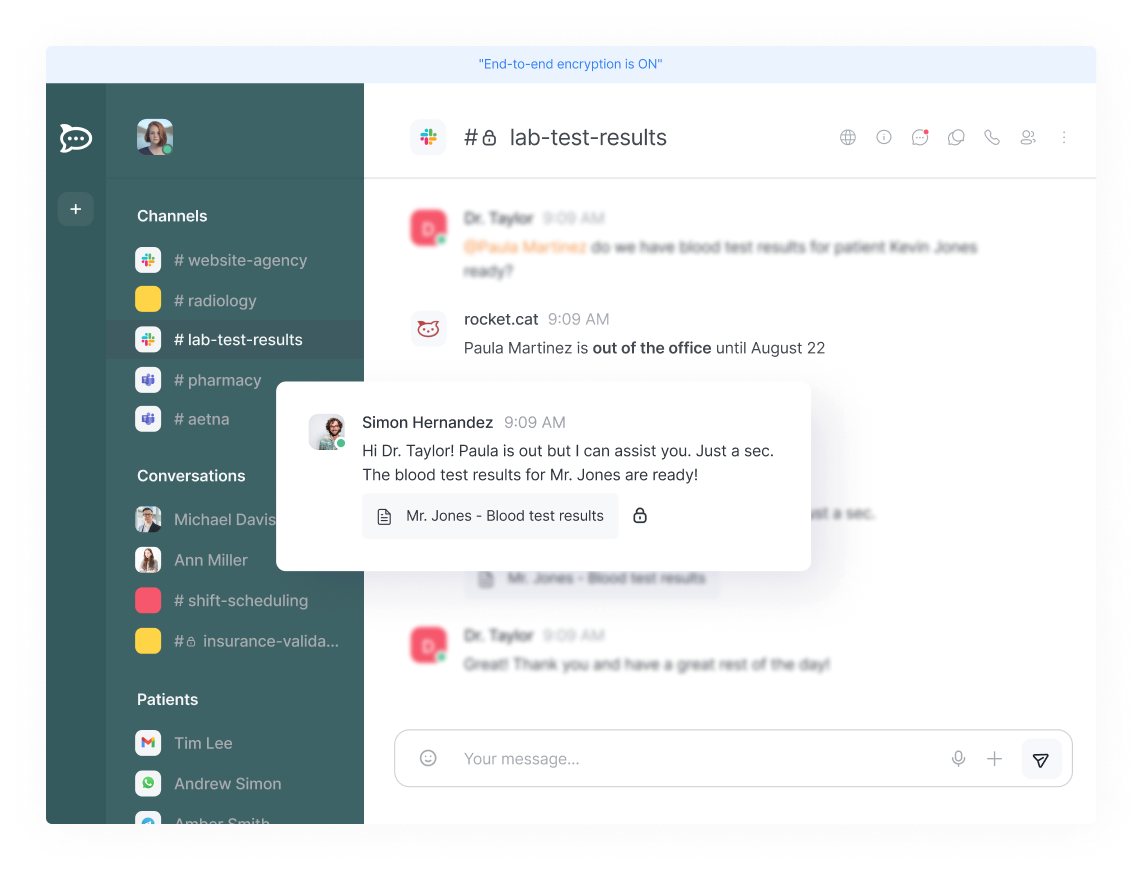
Consulting & architecture
Plan communication paths that fit the organisation.
Integration & migration
Connect systems sensibly and prepare a changeover with a test run.
Operations & optimisation
Develop rollout, adoption and operations together.
What is Rocket.Chat?
Rocket.Chat creates one central place for collaboration, service and coordinated communication paths. What matters is the interplay of product, organisation and operations.
Stop communication drifting into uncoordinated private messengers and one-off channels.
Shape data flows, responsibilities and operating models more deliberately.
Bring separate communication channels together in a traceable way.
Treat communication as part of operational resilience.
The target picture
CCNet supports the introduction of Rocket.Chat as an integration partner – from assessing your requirements through architecture to efficient everyday use.
See the joint pathOperating model
Structured together
Usage
Operations
Operating model, identity integration and scope of services are agreed per project.
Experience the product
Functionality that supports your team in everyday work. Simple, secure and sovereign.
Sovereign operations
Operating framework
Your infrastructure.
Your requirements.
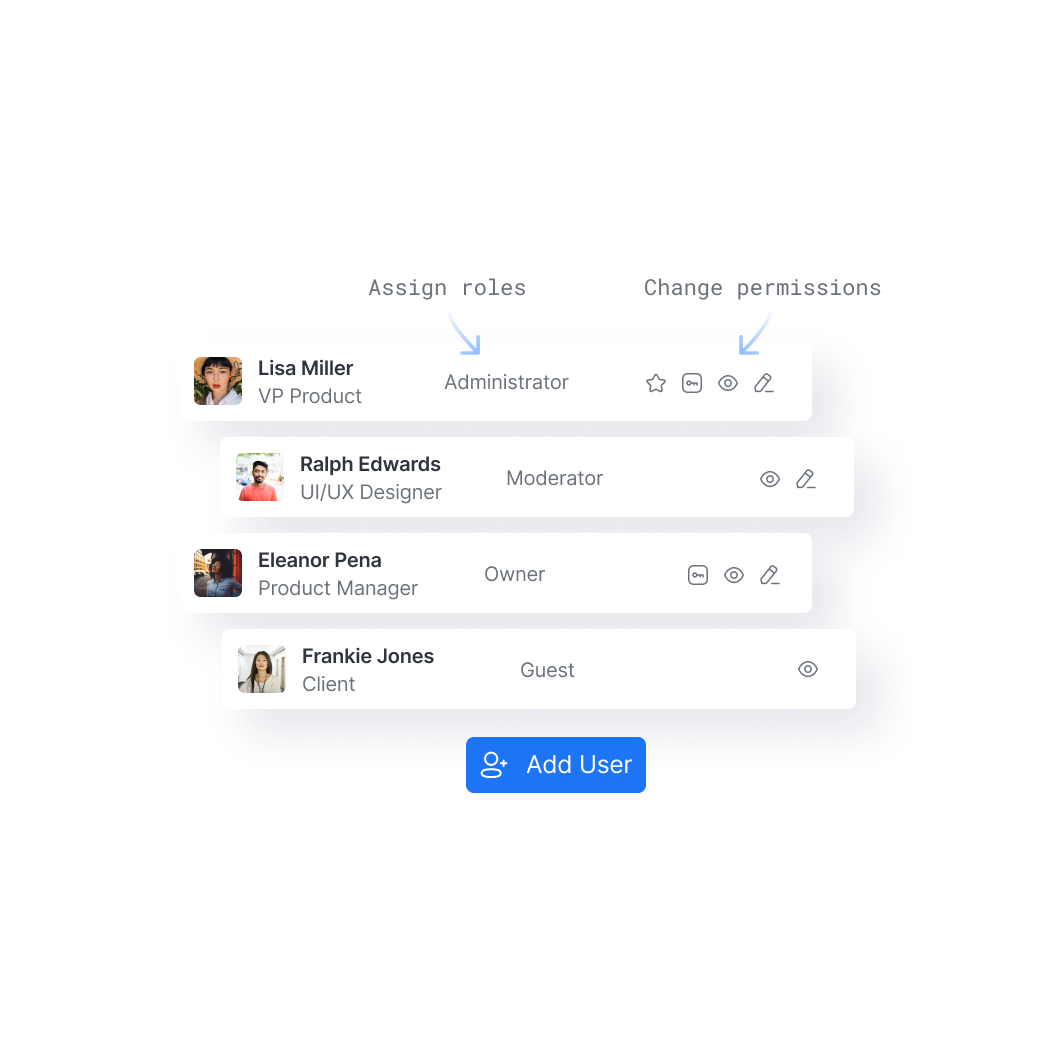
Plan roles, access and the operating concept together.
Accessibility
Accessibility · classification
Digital collaboration Collaboration
File sharing
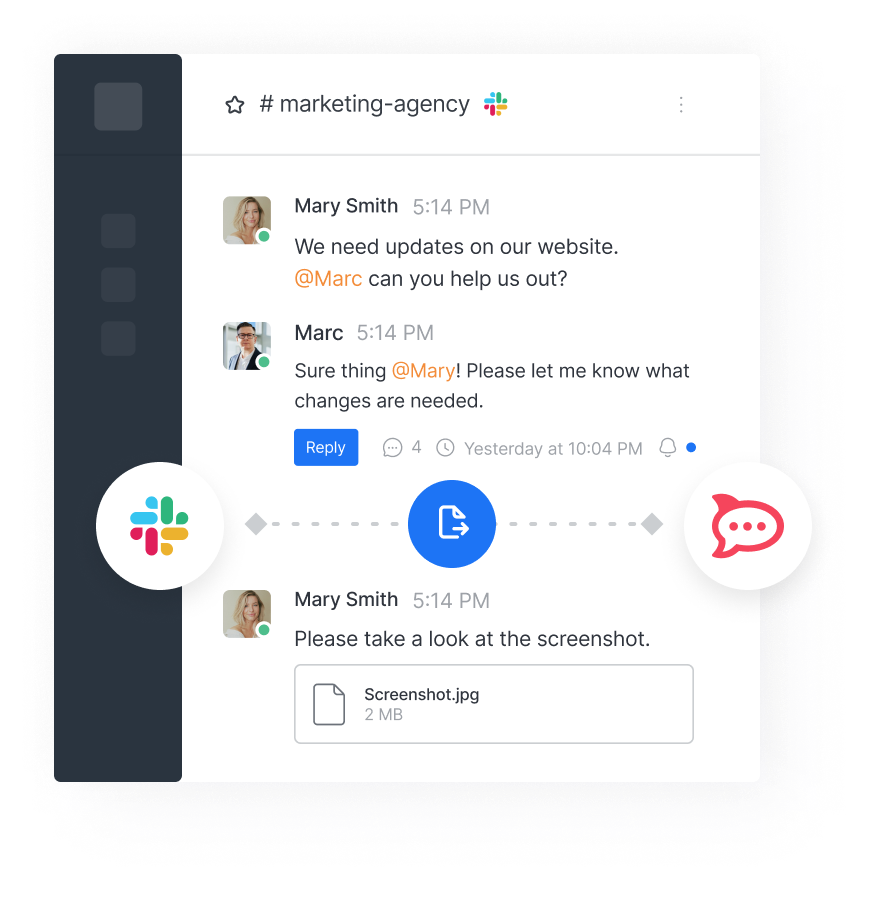
Video & audio
Internal integrations
Alert routing · example
Connected systems
MonitoringSpecialist systemEmail Alerts in context Example integration · clarify systems, rules and escalations in the project
Zero trust tech integration
Where a project provides for it, CCNet connects the shared messaging and working context in Rocket.Chat, video conferencing with Pexip, BigBlueButton or Jitsi for example, and the inspection of attachments and data flows with Forcepoint. These building blocks are connected to the organisation's existing identity services, roles, technical interfaces and operating processes.
Teams gain a coordinated way of working: communication, video conferencing and handling files stay in the right context. That can reduce media breaks, clarify responsibilities and make review processes easier to follow.
01 · Communication
Rocket.Chat bundles direct messages, group communication and exchange in the working context. Roles, access and embedding into existing identity concepts are shaped in the project.
Example control points
01
Roles & access
02
LDAP · SAML · OIDC
03
Traceable spaces
02 · Video
The Rocket.Chat–Pexip integration makes it possible to start video calls from a chat room. The specific integration takes into account Pexip Infinity, network routing, certificates and the matching Rocket.Chat configuration, among other things.
Example control points
01
Pexip Infinity
02
Conference policies
03
Persistent conversation context
03 · Data flow
CCNet describes Forcepoint as a technical inspection component for file and data flows. In a project-specific chain, attachments can be checked, CDR mechanisms applied and DLP rules shaped to support internal policies.
Example control points
01
Content inspection (CDR)
02
DLP policies
03
Logging & review
Not an off-the-shelf package: interfaces, rules and scope of services are defined in the project.
Rocket.Chat Context & communicationPexip Video componentForcepoint Controlled data & file flows
Add-on: omnichannel
Depending on your needs, selected channels can become visible in one place. Omnichannel is an add-on and not part of the standard scope.
Inbound channels
WhatsApp Channel example Web chat Channel example Email Channel example Central context Bundle, assign and forward messages Click an inbound channel and assess the add-on together.
Use cases
Rocket.Chat is used across a wide range of sectors, depending on the individual use case.

Use case
Coordinate student services, teaching and departments in clear communication spaces.
How Rocket.Chat can be used
Rocket.Chat can bring student counselling, the examinations office, IT service and departments together in separate public or private spaces. Enquiries, scheduling, notices and documents stay assigned to the relevant case; direct messages support person-related coordination.
CCNet supports
Together with the university, CCNet structures the space and role logic, the connection to existing identity services and a test run. Rollout, usage rules and the operating concept are then adapted to the organisation.

Use case
Connect service, departments and internal coordination in one shared working environment.
How Rocket.Chat can be used
Rocket.Chat can serve as a working space for internal service cases, cross-department coordination, IT notifications and project communication. Where appropriate, selected inbound channels can be forwarded to the responsible teams via an omnichannel add-on; scope and responsibilities are defined beforehand.
CCNet supports
CCNet supports the assessment of roles, access and communication spaces, reviews the necessary interfaces and assists with testing, rollout and embedding the solution in day-to-day operations.

Use case
Support strict confidentiality in air-gapped working environments.
How Rocket.Chat can be used
Rocket.Chat can bundle communication in public and private channels with clear roles and access rules. Where the target picture calls for it, air-gapped operation is possible: the infrastructure stays physically separated from external networks and the public internet.
CCNet supports
CCNet supports the target architecture, the role and access model and the planning of operations, update supply, licensing and the necessary interfaces. Requirements for confidentiality, compliance and regulation are reviewed per organisation.
Customers & sectors
Customers and organisations that entrust their secure communication to Rocket.Chat and CCNet.
01 08
Research & data infrastructure
The NFDI coordinates the build-up of a nationwide research data infrastructure and connects institutions for sustainable, interoperable data services in science.

02 08
Inclusion & social services
Thuringia's largest inclusion company creates jobs for people with disabilities on the general labour market.

03 08
Healthcare
Municipal hospital with departments for internal medicine, surgery, gynaecology and anaesthesia, plus a geriatric day clinic.

04 08
Finance
Proprietary trading firm with its own capital and institutional infrastructure for trading on live markets.

05 08
IT security & communication
Berlin-based provider for securing digital business communication, in particular email encryption and secure file transfer.

06 08
Education & research
University of applied sciences offering on-campus, dual, part-time and blended-learning programmes.

07 08
Precious metals & recycling
Precious metal service for recycling and trading in gold, silver, platinum and palladium for commercial and industrial customers.

08 08
Defence
Organisation from the security-critical industry; name and further details remain confidential.
Our roadmap
The sequence is a basis for discussion. Scope, resources, operating model and any documents are defined individually.
Process path · from need to use
A personal meeting to assess the subject matter, the organisation and the technology.
Review the demo environment and the relevant functional areas together.
Structure architecture, roles, change management and resources.
Keep developing knowledge, user tips, fundamentals and possible extensions.
Expertise
CCNet is more than your licensing partner. We accompany the path to a working communication solution and its efficient use.
FAQs
Questions we are asked again and again. They do not constitute technical, legal or regulatory advice for an individual case.
Rocket.Chat is a customisable communication and collaboration platform. It stands for topic-based collaboration, service and coordinated communication paths. Which features, licence and operating form are used is defined per project.
Rocket.Chat documents private, read-only and broadcast rooms, role- and attribute-based access control, MFA, TLS support and settings for uploads and retention, among other things. Whether this results in an appropriate level of security depends on the architecture, configuration, operations and reviews of the organisation concerned.
The matrix below classifies different solutions by their documented focus. It is not a ranking, not a security assessment and not a complete procurement comparison: depth of functionality, licence, support, operating model, interoperability and approvals must be reviewed for the specific deployment.
Orientation matrix · not a ranking
| Solution | Focus | Operating / architecture note | Integration & governance |
|---|---|---|---|
| Rocket.Chat | Communication, collaboration, external contact paths and extensible apps. | Self-hosting as well as cloud and air-gap scenarios are documented; the specific model is chosen per project. | Marketplace, private apps, identity integration and role and permission concepts. |
| Threema OnPrem | Closed, self-hosted messenger focused on confidentiality and central administration. | Threema describes self-hosting and an isolated air-gap scenario for high protection requirements. | Administration portal, permissions, MDM/BYOD context and product-specific extensions. |
| BundesMessenger | Matrix-based messenger for the German public administration. | Its own Matrix home server model; the client is limited to the BundesMessenger backend. | Federation is deliberately limited to other BundesMessenger core home servers. |
| Element / Matrix | Matrix-based communication focused on open standards and interoperability. | Self-hosting and federated Matrix architectures are possible; operations and choice of partner remain flexible. | Federation between Matrix-based systems and a broad ecosystem of providers and services. |
CCNet is the official German-language Rocket.Chat partner and serves customers in the DACH region and beyond. The focus is on clarifying needs and architecture, licence assessment and procurement, implementation and migration, integrating identity concepts and support in operations. The specific service, responsibility and acceptance are agreed per project.
CCNet can structure your communication requirements, plan a suitable architecture, take existing directory and identity concepts into account, accompany rollout and migration and shape an agreed operating path. Alongside compliance questions, this includes operational topics such as roles, access, monitoring, updates and responsibilities. Specific security or compliance commitments do, however, require an individual assessment. CCNet also acts as a procurement partner – in both the public and the private sector.
For data protection officers, the selectable architecture, the control of roles and access, configurable data and retention options and plan-dependent audit functions can be relevant review points. Rocket.Chat does not create automatic GDPR compliance, but it offers the functions needed: legal basis, technical and organisational measures, contracts, storage locations, permissions and operating model must be assessed and documented for the organisation.
Administrators can assign permissions to roles and, where needed, define their own roles with more than 150 granular rights. The documentation also names user, room and workspace administration, API access, identity providers such as LDAP, SAML and OAuth, and options for monitoring and logs. The scope and availability of individual functions depend on the configuration and, where applicable, the licence model.
The Rocket.Chat Marketplace bundles public apps; private apps can be developed and managed for a single workspace. Examples include BigBlueButton, GitHub, Jira Cloud, Google Calendar, Google Drive, Pexip, ClamAV and the DLP app. Not every app is available in every plan or operating model; licence, permissions, data flows and support should be reviewed before rollout.
Rocket.Chat can be extended via Marketplace apps, APIs and private apps, among other routes. The official BigBlueButton app makes it possible to start conferences from Rocket.Chat; this requires your own BigBlueButton server. The Rocket.Chat AI app requires a provided LLM and enables AI summaries in chats. A CDR solution for file sanitisation is not promised as a standard Rocket.Chat function: its interplay with uploads, DLP and DLP rules must be designed and tested separately, both technically and organisationally.
CCNet describes zero trust collaboration as the interplay of Rocket.Chat for communication, Pexip for video and Forcepoint for controlled data and file flows. In this approach, architecture, roles, policies, interfaces and operations are planned together. The components are not a blanket pre-configured standard package; the specific technical design is defined for each project.
The official Pexip app for Rocket.Chat makes it possible to start video calls directly from a Rocket.Chat room. The integration connects Rocket.Chat with Pexip Infinity. Setting it up requires, among other things, a Pexip Infinity server, valid certificates, suitable network routes and a Rocket.Chat premium licence. CCNet supports planning, integration and operations as a project-specific video component. Other services such as BigBlueButton or Jitsi can of course be integrated instead of Pexip.
Omnichannel is a paid Rocket.Chat add-on. The specific scope of services, the connected channels, identity verification and data protection and operating requirements must be clarified before implementation.
Rocket.Chat can be run in self-managed environments, in CCNet cloud hosting or as an isolated air-gap workspace. The decision is guided by requirements for data flows, scaling, administration, resilience, interfaces, licence and operations. CCNet supports the clarification of architecture and operating model.
Yes. On request, CCNet carries out deployments and monthly maintenance inside the customer's infrastructure.
CCNet · knowledge record
Next step
In a personal meeting, find out which communication and operating path suits your organisation.